A crossover cable is a special type of Ethernet cable used to directly connect two similar devices, such as two computers, two switches, or two routers, without needing a network hub or router in between. While modern networking equipment often supports auto-MDI/MDIX (automatic cable detection), understanding how to make a crossover cable is still a valuable networking skill, especially for troubleshooting, learning networking basics, or working with older devices.
This guide explains what a crossover cable is, how it works, and how to make one step by step.
What Is a Crossover Cable?
A crossover cable is an Ethernet cable in which the transmit and receive wire pairs are switched (or “crossed”) on one end. Standard Ethernet cables, called straight-through cables, have the same wiring configuration on both ends. However, crossover cables swap specific wire pairs to allow direct communication between similar devices.
When Is a Crossover Cable Used?
You typically use a crossover cable to connect:
- Computer to computer
- Switch to switch
- Router to router
- Hub to hub
- Computer to router (older hardware)
Many modern devices automatically detect cable types, but crossover cables are still useful in certain scenarios.
Tools and Materials Needed
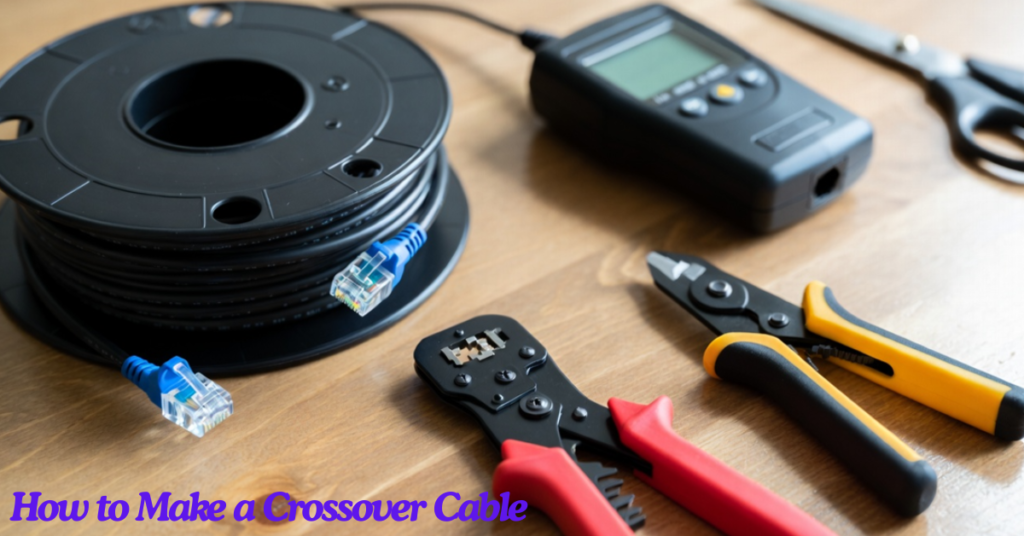
Before making a crossover cable, gather the following items:
- Ethernet cable (Cat5e, Cat6, or Cat6a)
- Two RJ45 connectors
- Crimping tool
- Wire stripper or cable cutter
- Cable tester (optional but recommended)
Understanding Ethernet Wiring Standards
To make a crossover cable, you must know the two common wiring standards:
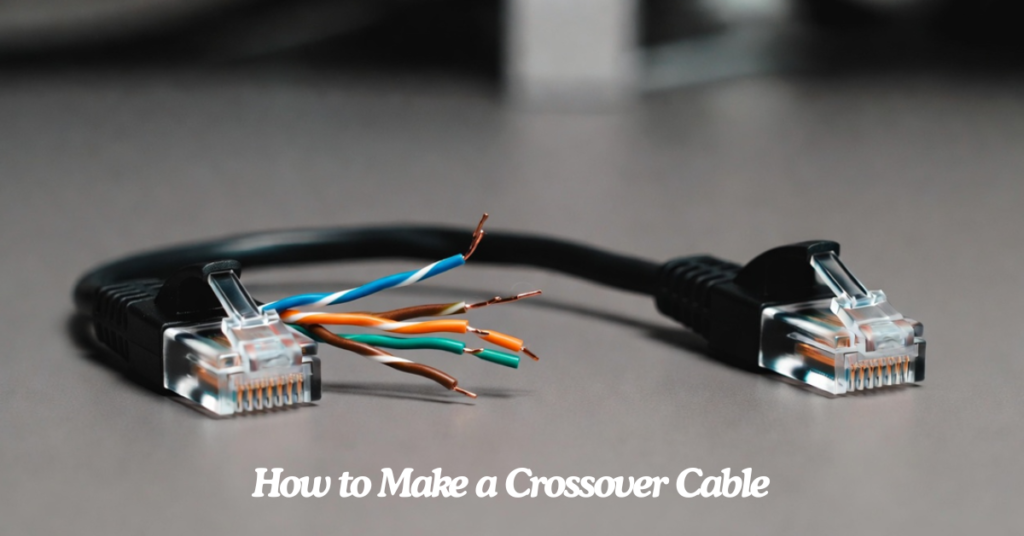
T568A Wiring Standard
| Pin | Wire Color |
| 1 | White/Green |
| 2 | Green |
| 3 | White/Orange |
| 4 | Blue |
| 5 | White/Blue |
| 6 | Orange |
| 7 | White/Brown |
| 8 | Brown |
T568B Wiring Standard
| Pin | Wire Color |
| 1 | White/Orange |
| 2 | Orange |
| 3 | White/Green |
| 4 | Blue |
| 5 | White/Blue |
| 6 | Green |
| 7 | White/Brown |
| 8 | Brown |
How Crossover Cable Wiring Works
A crossover cable has:
- One end wired using T568A
- The other end wired using T568B
This crossing swaps the transmitting and receiving signals, enabling direct device communication.
Step-by-Step Guide to Making a Crossover Cable
Step 1: Cut the Ethernet Cable
Use a cable cutter to cut the Ethernet cable to your desired length. Ensure the cut is straight to make termination easier.
Step 2: Strip the Cable Jacket
Use a wire stripper to remove about 1 inch (2.5 cm) of the outer insulation from both ends of the cable. Be careful not to damage the internal wires.
Inside the cable, you will see four twisted wire pairs.
Step 3: Untwist and Arrange Wires
Untwist the wire pairs and straighten them carefully. You will arrange these wires according to the wiring standard.
End One: Arrange Wires Using T568A
Order the wires from left to right as follows:
- White/Green
- Green
- White/Orange
- Blue
- White/Blue
- Orange
- White/Brown
- Brown
Make sure the wires are aligned evenly and straight.
Step 4: Insert Wires into RJ45 Connector
Hold the RJ45 connector with the clip facing downward and insert the wires into the connector carefully. Ensure each wire reaches the end of the connector.
Step 5: Crimp the Connector
Insert the RJ45 connector into the crimping tool and press firmly. This locks the wires into place and secures the connector.
Step 6: Prepare the Second End Using T568B
Repeat the stripping and arranging process on the second end of the cable. This time, arrange the wires using the T568B standard:
- White/Orange
- Orange
- White/Green
- Blue
- White/Blue
- Green
- White/Brown
- Brown
Insert the wires into the RJ45 connector and crimp it.
Step 7: Test the Cable
Use a cable tester to verify that the cable works properly. The tester should confirm that transmit and receive wires are correctly crossed.
If you don’t have a tester, you can connect two devices and check network connectivity.
Common Mistakes to Avoid
When making a crossover cable, avoid these common errors:
Incorrect Wire Order
Always double-check the wire arrangement before crimping. A small mistake can cause network failure.
Damaged Wires
Avoid cutting or nicking internal wires while stripping the jacket.
Loose Connections
Ensure wires reach the end of the RJ45 connector before crimping.
Mixing Standards
Remember that crossover cables require different standards on each end.
Advantages of Crossover Cables
Crossover cables provide several benefits:
- Allow direct device-to-device communication
- Useful for troubleshooting network issues
- Cost-effective for temporary setups
- Essential for learning networking fundamentals
Do You Still Need Crossover Cables Today?
Most modern networking equipment supports auto-MDI/MDIX, which automatically adjusts connections regardless of cable type. However, crossover cables are still useful when:
- Working with legacy hardware
- Performing network diagnostics
- Learning networking concepts
- Setting up isolated device connections
Tips for Making High-Quality Cables
- Use high-quality Ethernet cable materials
- Keep twisted pairs intact as much as possible
- Use proper crimping tools for secure connections
- Label cables for easy identification
- Test cables before use
Conclusion
Making a crossover cable is a simple yet valuable skill for anyone interested in networking. By understanding the T568A and T568B wiring standards and carefully following the steps, you can create a reliable cable that connects devices directly without additional network equipment.
Although modern devices often eliminate the need for crossover cables, knowing how to make one improves your technical knowledge and prepares you for working with different networking environments. With the right tools and attention to detail, you can easily build a functional crossover cable for professional or personal use.
FAQs About How to Make a Crossover Cable
1. What is a crossover cable?
A crossover cable is a type of Ethernet cable that directly connects two similar networking devices by crossing the transmit and receive wires.
2. What is the main difference between a crossover cable and a straight-through cable?
A crossover cable uses different wiring standards on each end, while a straight-through cable uses the same wiring standard on both ends.
3. When should I use a crossover cable?
You should use a crossover cable when connecting similar devices like computer-to-computer, switch-to-switch, or router-to-router.
4. Do modern devices still require crossover cables?
Most modern devices support auto-MDI/MDIX technology, which automatically detects cable types, reducing the need for crossover cables.
5. What wiring standards are used in crossover cables?
Crossover cables use T568A wiring on one end and T568B wiring on the other end.
6. What tools are needed to make a crossover cable?
You need an Ethernet cable, RJ45 connectors, a crimping tool, a wire stripper, and optionally a cable tester.
7. Can I use Cat6 cable to make a crossover cable?
Yes, you can use Cat5e, Cat6, or Cat6a cables to create crossover cables.
8. How long can a crossover cable be?
A crossover cable can typically be up to 100 meters (328 feet), similar to standard Ethernet cables.
9. Is it difficult to make a crossover cable?
No, it is relatively simple if you follow wiring standards carefully and use proper tools.
10. What happens if the wires are arranged incorrectly?
Incorrect wiring can prevent network communication or cause unstable connections.
11. How do I know if my crossover cable works?
You can test it using a cable tester or by connecting devices and checking network connectivity.
12. Can crossover cables support high-speed internet?
Yes, crossover cables can support high-speed connections depending on the cable category used.
13. Why are wire pairs twisted inside Ethernet cables?
Twisted pairs reduce signal interference and improve data transmission quality.
14. Can I convert a straight-through cable into a crossover cable?
Yes, you can cut one end of a straight-through cable and rewire it using a different wiring standard.
15. What are RJ45 connectors used for?
RJ45 connectors attach Ethernet cables to networking devices and secure the internal wires.
16. Do crossover cables work with gaming consoles?
Yes, crossover cables can connect gaming consoles directly to other compatible devices if needed.
17. How much insulation should I strip from the cable?
You should strip about 1 inch (2.5 cm) of the outer cable jacket.
18. Can I make a crossover cable without a crimping tool?
It is not recommended because crimping tools ensure proper wire connection and stability.
19. Why should I test the cable after making it?
Testing ensures that all wires are connected correctly and that the cable functions properly.
20. Are crossover cables still useful today?
Yes, they are still useful for troubleshooting networks, working with older hardware, and learning networking basics.
[…] […]
[…] […]